
January 5, 2026
Webcam Lighting Fixes for Men: No More Dark or Overexposed Face
Good lighting can make the difference between looking tired and washed out on
camera and looking confident and trustworthy. If you appear on cam for dates,
private chats or just regular video calls, simple webcam lighting fixes for men
can dramatically improve how others see you. You do not need a studio or
expensive gear — just a bit of planning and a few smart adjustments.
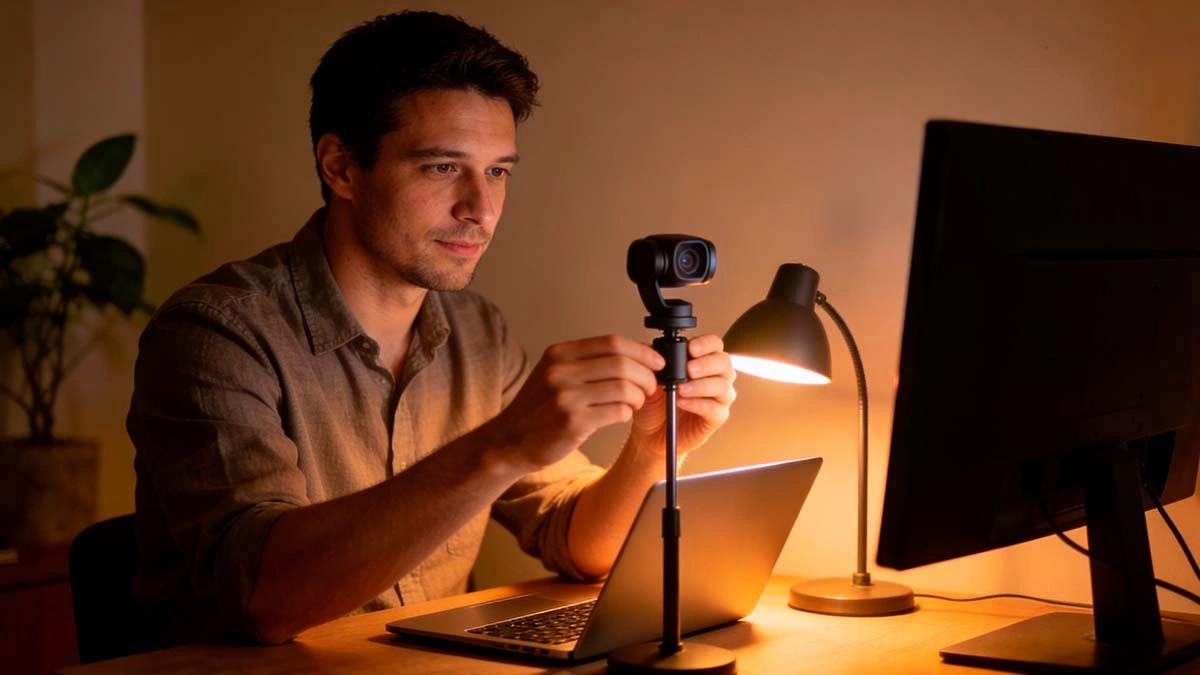
Why Lighting Matters So Much on Webcam
When the lighting is bad, even a good camera struggles. Harsh overhead lamps
can carve deep shadows under your eyes, while a bright window behind you turns
you into a dark silhouette. Good lighting, on the other hand, smooths out your
features, makes eye contact easier and gives the impression that you put effort
into how you show up.
On cam sites and dating platforms, viewers often decide in a few seconds
whether they want to keep talking to you. Clean, flattering light signals that
you are present, organised and comfortable with yourself. In group calls or
work video meetings, it has the same effect: people instinctively trust faces
they can see clearly.
If you want more background on how lighting and sound change the way you look
online, a general guide like this breakdown of video call tips can be a useful
extra reference.
Start With Your Main Light Source
The easiest webcam lighting fix for men is to move the main light source in
front of you instead of above or behind you. Ideally, you want a soft light a
little above eye level, aimed at your face. This can be as simple as a desk
lamp with a lampshade or an LED panel on a small stand.
Place the light slightly to one side (about 30 degrees) rather than directly in
the centre. This adds a bit of depth to your face without creating harsh
shadows. If the light feels too strong, bounce it off a wall or point it
through a thin white cloth or paper to diffuse it.
Use Natural Light When You Can
If you have a window, sit so that it is in front of you or at a slight angle
to your face. Avoid sitting with your back to the window; that’s how you get
the classic “mysterious silhouette” effect where nobody can see your
expression. Morning or late afternoon light is usually softer and more
flattering than bright noon sunlight.
Remember that natural light changes during the day. If you stream or chat for
a long time, you may need to adjust your position or add a lamp as the light
fades.
Fix Harsh Shadows and Shiny Skin
Harsh lighting can emphasize every line and bump on your face. To soften this,
use a bulb with a warm or neutral colour temperature (around 3000–4500 K) and
avoid bare, exposed bulbs. A simple lampshade, softbox or even a sheet of
baking paper over a lamp (kept at a safe distance from the heat source) can
turn a sharp beam into a gentle glow.
If your forehead or nose looks very shiny on camera, reduce direct light from
above and consider gently blotting your skin with a tissue before going live.
You do not need makeup, but a quick check in your webcam preview can help you
see where the hotspots are and adjust the light angle.
Create a Simple Two-Point Setup
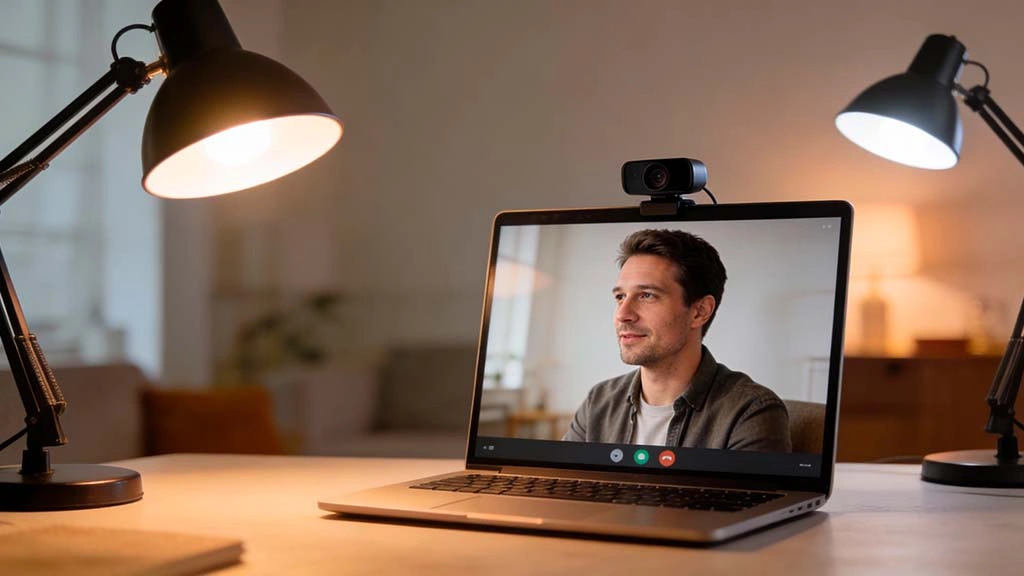
Once you have a main light in front of you, you can upgrade to a simple
two-point setup. This means adding a second, softer light on the opposite side
of your face. The main light is still stronger, but the secondary light fills
in some of the shadows.
For example, you might have a small LED panel to your left as the key light
and a weaker lamp to your right as the fill light. This combination keeps your
face three-dimensional without making one side too dark. You can experiment by
turning the second light on and off until the balance looks right.
Use the Background to Your Advantage
Lighting is not just about your face; it also shapes how your background looks.
A completely dark background can feel a bit intimidating, while a cluttered,
bright one pulls attention away from you. Aim for a simple, tidy background
with a little depth — for example, a bookshelf, a plant or a softly lit wall.
You can add a small lamp or LED strip behind you, pointed at the wall, to
create a subtle halo of colour or light. This separates you from the
background and makes the frame more interesting without being distracting. Just
keep it softer than the light on your face so the viewer’s eyes stay on you.
Avoid Common Lighting Mistakes
- Bright window behind you: This fools your camera into
darkening the entire image, hiding your face in shadow. Turn your setup so
the window is in front of you instead. - Only using an overhead ceiling light: This creates
deep eye sockets and strong shadows under your nose. Add a front-facing
light at eye level to soften the look. - Mixing very warm and very cool bulbs: When one side of
your face looks orange and the other blue, the image feels unnatural.
Stick to one general colour temperature for all lights. - Too much brightness: If your face looks flat and
washed out, dim the light or move it further away. You want detail and
soft shadows, not a glowing white mask.
Test Your Setup Before Going Live
Instead of waiting until you are already in a private chat or group call,
spend five to ten minutes testing your lighting in your webcam preview or with
a friend. Try moving the lights, changing their height and adjusting your
distance from the camera. Small tweaks can make a big difference.
Check how your lighting looks when you turn your head, lean closer or move
back. If one side of your face suddenly drops into shadow when you move, add a
bit of fill light from that direction. Save a few screenshots of good angles
so you can reference them later when you set up again.
Conclusion: Small Changes, Big Difference
You do not need a professional studio to benefit from these webcam lighting
fixes for men. A single well-placed lamp, a bit of diffusion and a clean
background can transform how you appear on camera. When people can see your
eyes clearly and your face is evenly lit, they are more likely to stay,
listen and connect with you.
Start with what you already have, experiment, and adjust as you go. Over time,
setting up your lighting will become a quick habit — one that quietly boosts
every call, date and private chat you show up for.
Related reading: For more ways to upgrade your on-camera
presence, check out our guides on improving your webcam framing for private calls and keeping your
private chat boundaries smooth and respectful.
